
55BMW Download: Complete Installation Guide for Android & iOS
Practical guide for users in the Philippines on how to access 55BMW via Android APK or iPhone Safari. Includes device preparation, installation steps, troubleshooting and mobile security tips.
App Information
Why Consider the 55BMW Mobile Experience?
A mobile platform should make essential features easier to reach and provide a comfortable browsing experience on smaller screens.
- Mobile-Friendly Navigation – Easy to browse without constant zooming
- Convenient Account Access – Manage your account anytime
- Game Categories – Slots, fishing, live casino and more
- Promotion Updates – Check offers on the go
- Flexible Access – Browser or verified app options
- Android & iOS Support – Multiple ways to access
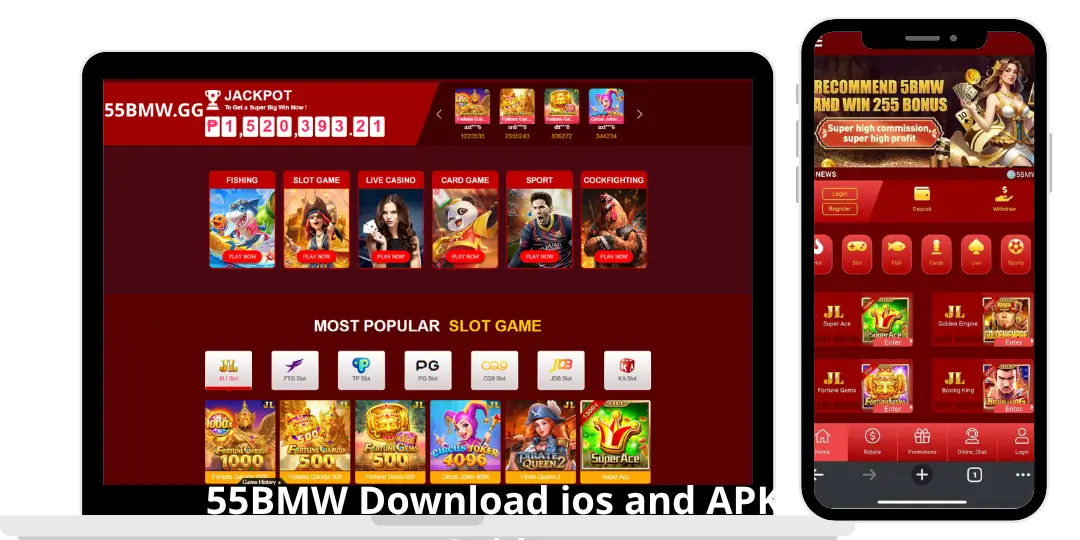
55BMW Download ios and APK Guide 2026
Choose your device below.
Android Download – Step by Step
Make sure you have a stable internet connection, enough storage, an updated Android version (5.0+), and a reliable browser such as Chrome.
Open Chrome and type the 55Bmw verified website address yourself. Avoid advertisements, shortened links, or copied websites.
Look for the Android Download or APK button. Check the application name and make sure the download comes from the verified domain.
Open the Downloads folder, tap the APK file, review the requested permissions, and continue only if the source is trustworthy. Do not automatically disable security protection.
After installation, open the app and check whether the interface loads correctly. Verify any update through the official source only.
Existing users can log in with their registered details. New users should review the registration requirements before creating an account.
iPhone / iOS Access – Step by Step
Make sure your iOS is updated, you have a stable internet connection, enough storage, and the latest security updates.
Launch Safari and type the verified 55BMW website address manually. Wait for the page to load completely.
Look for an iOS Download option. If an App Store listing is provided, verify the developer before installing. If none is available, continue with the mobile website.
Tap the Share icon → select “Add to Home Screen” → review the name → tap Add. A convenient shortcut will appear on your Home Screen.
Tap the shortcut to open the platform. Check navigation, login, and available sections. Do not install unknown configuration profiles.
Android vs iOS: Which Access Method Is Better?
| Feature | Android | iOS |
|---|---|---|
| Main access method | Browser or verified APK | Safari or verified iOS app |
| Installation | APK if officially supported | App Store or supported method |
| Home Screen shortcut | Available | Available |
| External APK | Possible with precautions | Not supported |
| Security checks | Google Play Protect + permissions | Apple security controls |
Android offers more flexibility when installing verified external applications, while iOS provides a more controlled environment. For simple access, the mobile website works well on both devices.
Common Download & Installation Problems
| Problem | Suggested Solution |
|---|---|
| APK cannot be downloaded | Check internet connection, free up storage, and restart the download from the verified website. |
| Android shows installation warning | Stop and verify the source and permissions. Do not disable security features just to force installation. |
| No 55BMW app on App Store | Use Safari and the “Add to Home Screen” feature if no official iOS app is available. |
| Website does not load properly | Refresh the page, check connection, update browser, or clear cache. |
| App closes unexpectedly | Restart the device, close background apps, and check for official updates. |
Important Mobile Security Tips
- Download only from the verified website address
- Create a strong, unique password
- Review app permissions carefully
- Avoid public Wi-Fi for sensitive activities
- Keep your phone’s operating system updated
- Watch out for fake applications with similar names
- Never share verification codes or passwords
- Do not install unknown configuration profiles
What Should You Do After Installing?
- Explore the homepage and available categories
- Locate the account login and registration sections
- Review the platform’s terms and conditions
- Read the available payment and withdrawal information
- Check the rules for promotions
- Familiarize yourself with responsible gaming tools
Conclusion
55BMW can be accessed on mobile devices through compatible methods. Android users can follow an official APK installation process if a verified version is available. iPhone users can check for an official App Store app or use Safari to create a convenient Home Screen shortcut.
The most important factor is identifying the correct source, understanding the installation process, and protecting your personal information. Always prioritize verified downloads and avoid unofficial application files.